![OmniByte - PNG Black Logo Oct 2021 (1).png]](https://help.omnibyte.com/hs-fs/hubfs/OmniByte%20-%20PNG%20Black%20Logo%20Oct%202021%20(1).png?height=50&name=OmniByte%20-%20PNG%20Black%20Logo%20Oct%202021%20(1).png)
New Look for List Pages
List Pages in the Admin Site have been redesigned to improve visibility, streamline workflows, and help you find the information you need faster.
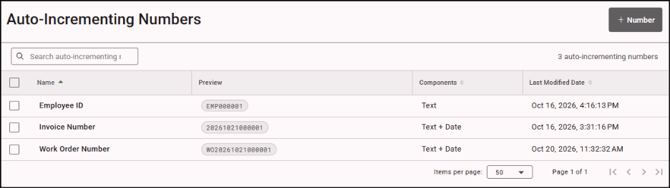
With these enhancements, you can see more at a glance by viewing more information upfront for users, teams, forms, data sets, sections, and more. Customize your view by resizing columns to focus on the details that matter most, explore connected information quickly without interrupting your workflow, and create with confidence by viewing existing entities while creating new ones for a smoother, more efficient experience.
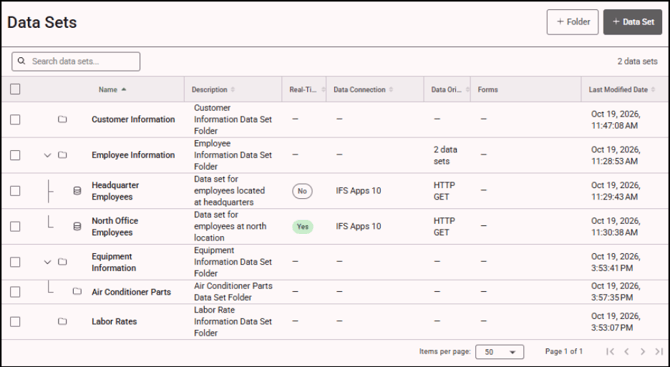
Data Set Folders
Keep your data sets organized by creating folders and grouping them in a way that works best for you .
Search Bar
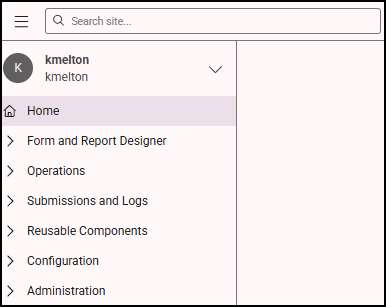
The Search bar has moved from the center of the Home page to the upper-left corner of the site, making it easier to search for information from anywhere in FormsPro .
Automatic Submission of Pending Forms When Connectivity is Restored
When a device regains internet connectivity, any pending form submissions queued while the device was offline will be submitted automatically, even if the application is running in the background or the device is inactive.
Favorites Menu Enhanced
The Favorites menu has been enhanced to make it easier to use. To add a form, page, or window to your Favorites, simply click the star icon.
Enhanced Microsoft Intune Support
Enhanced Microsoft Intune support makes it easier to deploy, configure, and manage the app across your organization’s devices.
New Kiosk Mode capabilities provide greater control over user authentication, app deployment, and device settings. You can also configure default app preferences, such as the language displayed when users open the app.
Whether managing a few devices or deploying the app organization-wide, these enhancements simplify setup, streamline device management, and provide a more consistent user experience.
Infor Integration
Connect FormsPro with your organization's Infor environment to streamline operations and simplify data exchange. Use data sets to pull Infor data directly into your forms, and data maps to send form submissions, media, and reports back to Infor.