![OmniByte - PNG Black Logo Oct 2021 (1).png]](https://help.omnibyte.com/hs-fs/hubfs/OmniByte%20-%20PNG%20Black%20Logo%20Oct%202021%20(1).png?height=50&name=OmniByte%20-%20PNG%20Black%20Logo%20Oct%202021%20(1).png)
Standard forms provide a structured, top-down, vertical layout for organizing information and creating custom reports. Use the Form and Report Designer to create a form that meets your reporting needs.
- From the Form and Report Designer menu, select Forms. The Forms page opens.
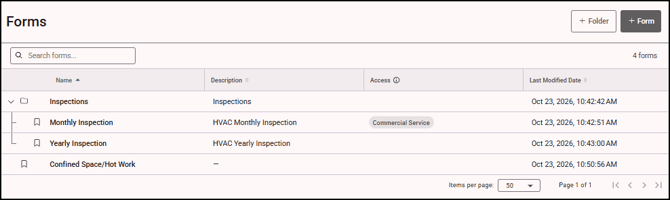
- Click the + Form button to open the Add Form tray.
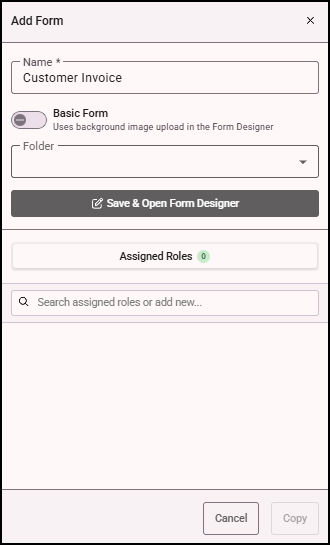
- Name your form and assign it to a folder (optional).
- If you are creating a basic form, see Creating a Basic Form.
- See Assigning Roles to a Form for information about assigning roles.
- Click Save & Open Form Designer to save the form and begin designing its layout
-
Once your form is created, you can begin configuring its inputs and other elements to suit your needs.
For detailed instructions on adding inputs and configuring other form components, refer to the related knowledge articles on form creation and design.