![OmniByte - PNG Black Logo Oct 2021 (1).png]](https://help.omnibyte.com/hs-fs/hubfs/OmniByte%20-%20PNG%20Black%20Logo%20Oct%202021%20(1).png?height=50&name=OmniByte%20-%20PNG%20Black%20Logo%20Oct%202021%20(1).png)
If you have a repeatable group that contains a dynamic table with calculated fields and you want to add the calculated values together outside of the repeatable group, follow these steps:
- Add a repeatable group to your form. In this example, the repeatable group is named Order.
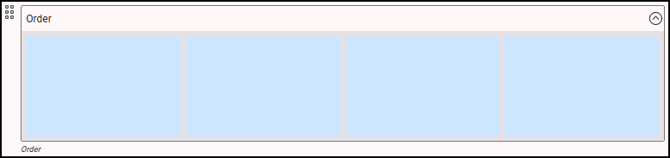
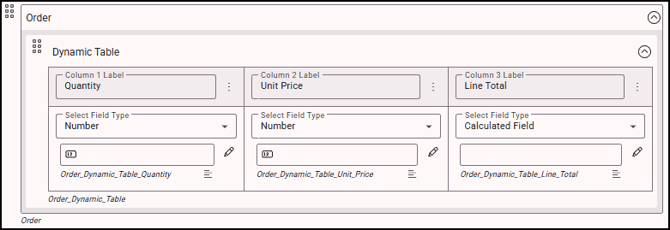
- Add a dynamic table to the repeatable group. In this example, the dynamic table contains three columns:
- Quantity — Number type
- Unit Price — Number type
- Line Total — Calculated Field Type
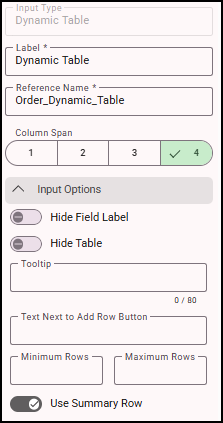
- Click the dynamic table, then expand Input Options. Toggle on Use Summary Row.
- Click the Line Total column and expand Input Options.
- Click
 (Edit Equation) and enter the calculated field equation. In this example: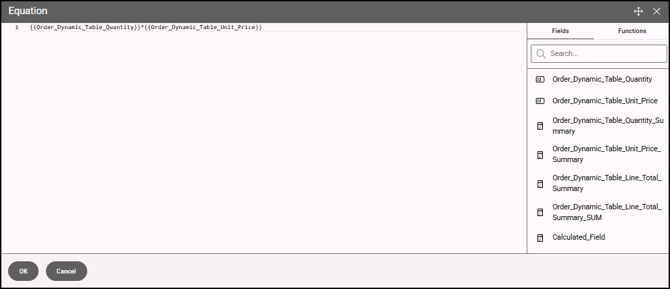
- Add a calculated field outside of the repeatable group and name it Grand Total.

- Expand Input Options.
- Click (Edit Equation) to open the Equation window and enter the equation that references the Line Total summary. In this example:
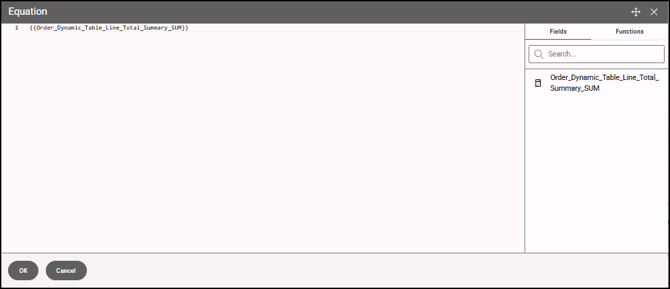
- Click the repeatable group and expand Summary Settings. Using this example, select Order_Dynamic_Table_Line_Total_Summary as the Fields to Summarize.
- Select SUM as the Summary Type.
- The Reference Name field will display Order_Dynamic_Table_Line_Total_Summary_SUM.
- Save your changes.
- Preview the form to verify that the calculations are accurate and that the Grand Total correctly reflects the sum of all Line Total values.