![OmniByte - PNG Black Logo Oct 2021 (1).png]](https://help.omnibyte.com/hs-fs/hubfs/OmniByte%20-%20PNG%20Black%20Logo%20Oct%202021%20(1).png?height=50&name=OmniByte%20-%20PNG%20Black%20Logo%20Oct%202021%20(1).png)
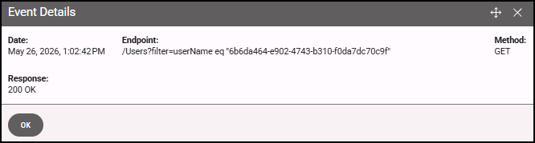
Use the SCIM log as a primary tool for diagnosing and resolving synchronization issues. Each log entry provides key details, including the timestamp of the request, the endpoint that was called, the HTTP verb used (such as GET, POST, PUT, or DELETE), and the system’s response. Together, this information helps you trace the sequence of events, identify failures, and understand how the system is interacting with the SCIM service.
The log retains up to one month of synchronization activity, giving you a rolling window of recent operations to review. This historical view is especially useful for identifying patterns, recurring errors, or changes in behavior over time.
- From the Submissions and Logs menu, click Logs, then select SCIM from the Log Type drop-down list.

- Click the information icon to view details similar to those found when you run the SCIM validator.