![OmniByte - PNG Black Logo Oct 2021 (1).png]](https://help.omnibyte.com/hs-fs/hubfs/OmniByte%20-%20PNG%20Black%20Logo%20Oct%202021%20(1).png?height=50&name=OmniByte%20-%20PNG%20Black%20Logo%20Oct%202021%20(1).png)
A section is a reusable set of fields that you can add to multiple forms to save time and maintain consistency. For example, if you frequently collect employee information such as addresses, start dates, and payroll details, you can create a section containing those fields and reuse it across forms instead of recreating them each time.
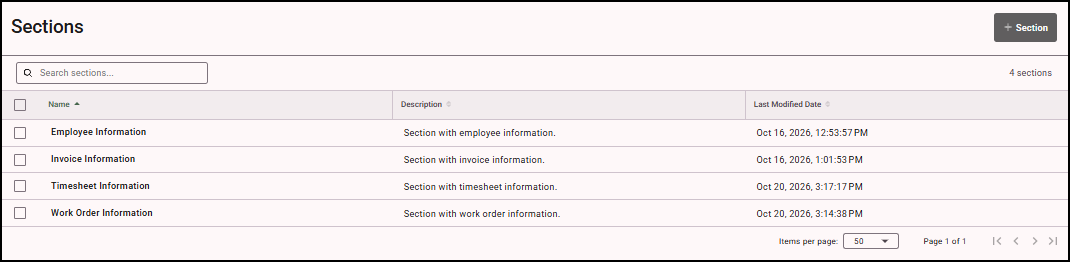
The Sections page displays all sections that have been created. From this page, you can create new sections and view details about existing sections.
From the Reusable Components menu, select Sections. The Sections page opens.