![OmniByte - PNG Black Logo Oct 2021 (1).png]](https://help.omnibyte.com/hs-fs/hubfs/OmniByte%20-%20PNG%20Black%20Logo%20Oct%202021%20(1).png?height=50&name=OmniByte%20-%20PNG%20Black%20Logo%20Oct%202021%20(1).png)
Date fields let you control which dates users can select by defining a range relative to today. This is done by entering a number of days before and/or after the current date.
- Days before Today: Sets how far back users can select a date.
- Days after Today: Sets how far into the future users can select a date.
To include today in the allowed range, enter 0 in the Days before Today field. For example, entering 65 days before and 200 days after will create a range that includes today and extends 65 days into the past and 200 days into the future.
Entering 0 in either field limits selection to only one direction:
- 0 days before: Only today and future dates are allowed.
- 0 days after: Only today and past dates are allowed.
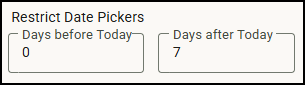
Suppose you need to follow up on a site visit within 7 days. On your Site Inspection form, you can add a date field and set the Days After Today field to 7. This ensures users can only select a date within the next week, helping you stay on track with timely follow-ups.
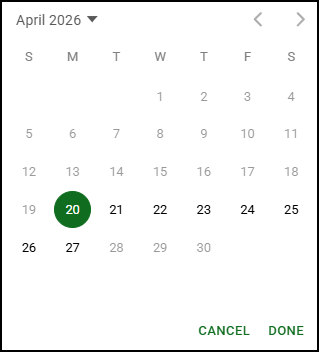
When an app user opens the calendar to pick a date for the follow-up visit, only the next 7 dates are available to choose from: