![OmniByte - PNG Black Logo Oct 2021 (1).png]](https://help.omnibyte.com/hs-fs/hubfs/OmniByte%20-%20PNG%20Black%20Logo%20Oct%202021%20(1).png?height=50&name=OmniByte%20-%20PNG%20Black%20Logo%20Oct%202021%20(1).png)
Use the Groups page to gather the information required to integrate with Microsoft Entra. In Entra, this information must be entered in the Provisioning section of the Enterprise Application created for FormsPro. This page is also where you map Entra groups to specific permission sets within FormsPro, allowing you to control user access based on group membership.
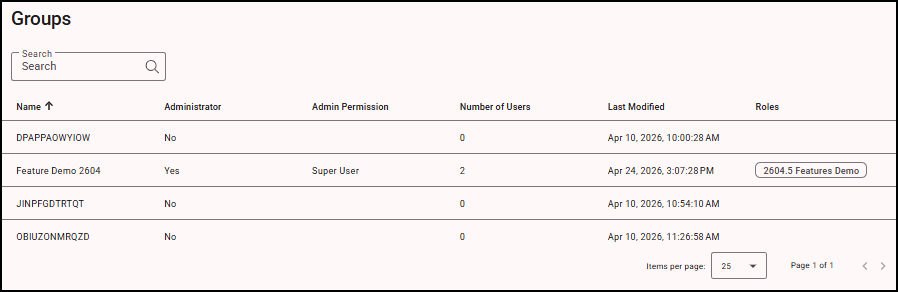
The Groups page displays all groups that have been provisioned from Entra to FormsPro. These groups are available for assignment to permission sets, which determine what users can see and do within the system.
Keep in mind:
- The page reflects only the groups that have been successfully configured and synced through provisioning.
- The number of users shown for each group may not match the total number of users in FormsPro. This is because a single user can belong to multiple groups.
- When a user is a member of multiple groups, they receive the combined permissions from all assigned groups.
To configure permissions:
-
From the Administration menu, select SCIM (Entra) to open the Groups page.
-
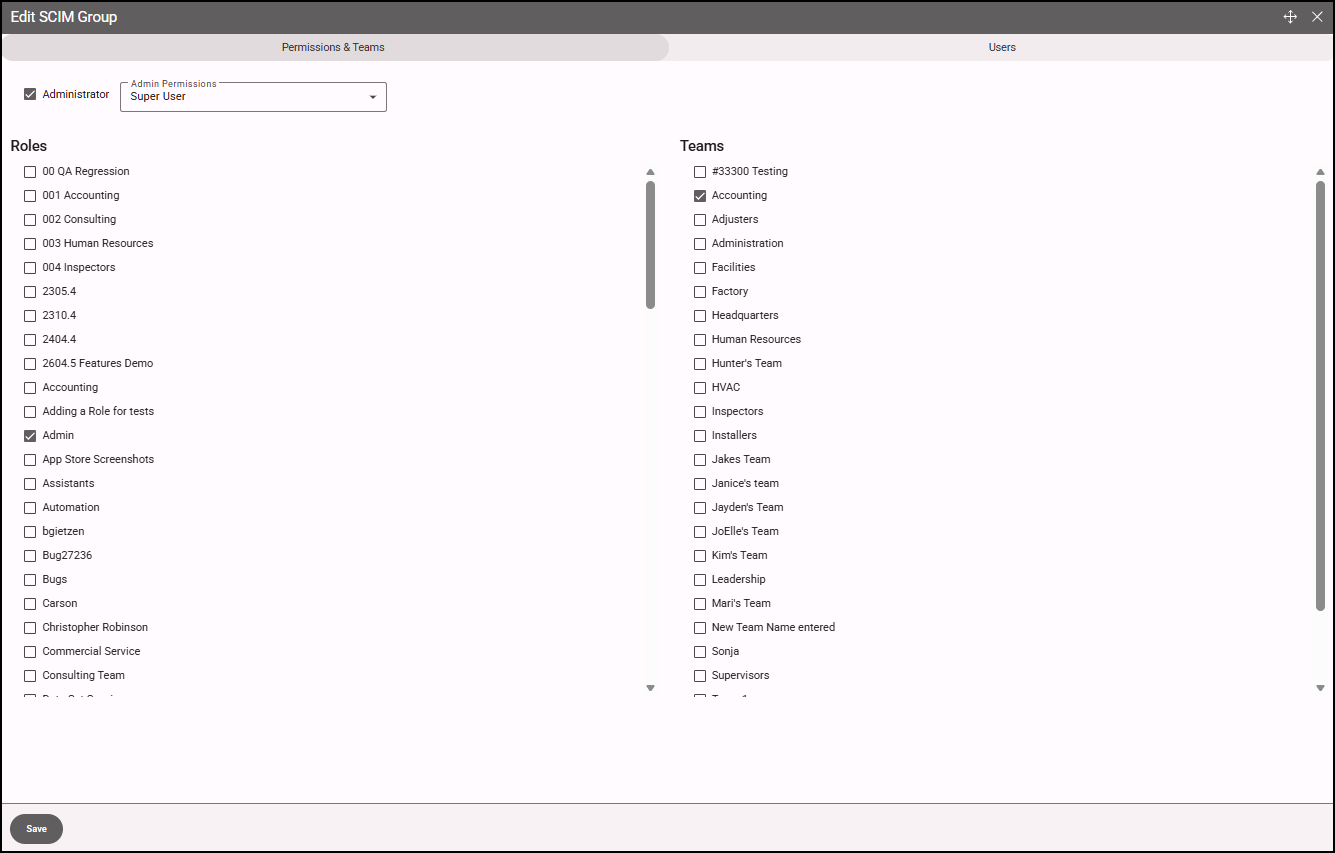
Click on a group in the list. The Edit SCIM Group window opens.
-
Configure the permissions for the SCIM group, including admin permissions, roles and teams (if applicable) for members of the group.
-
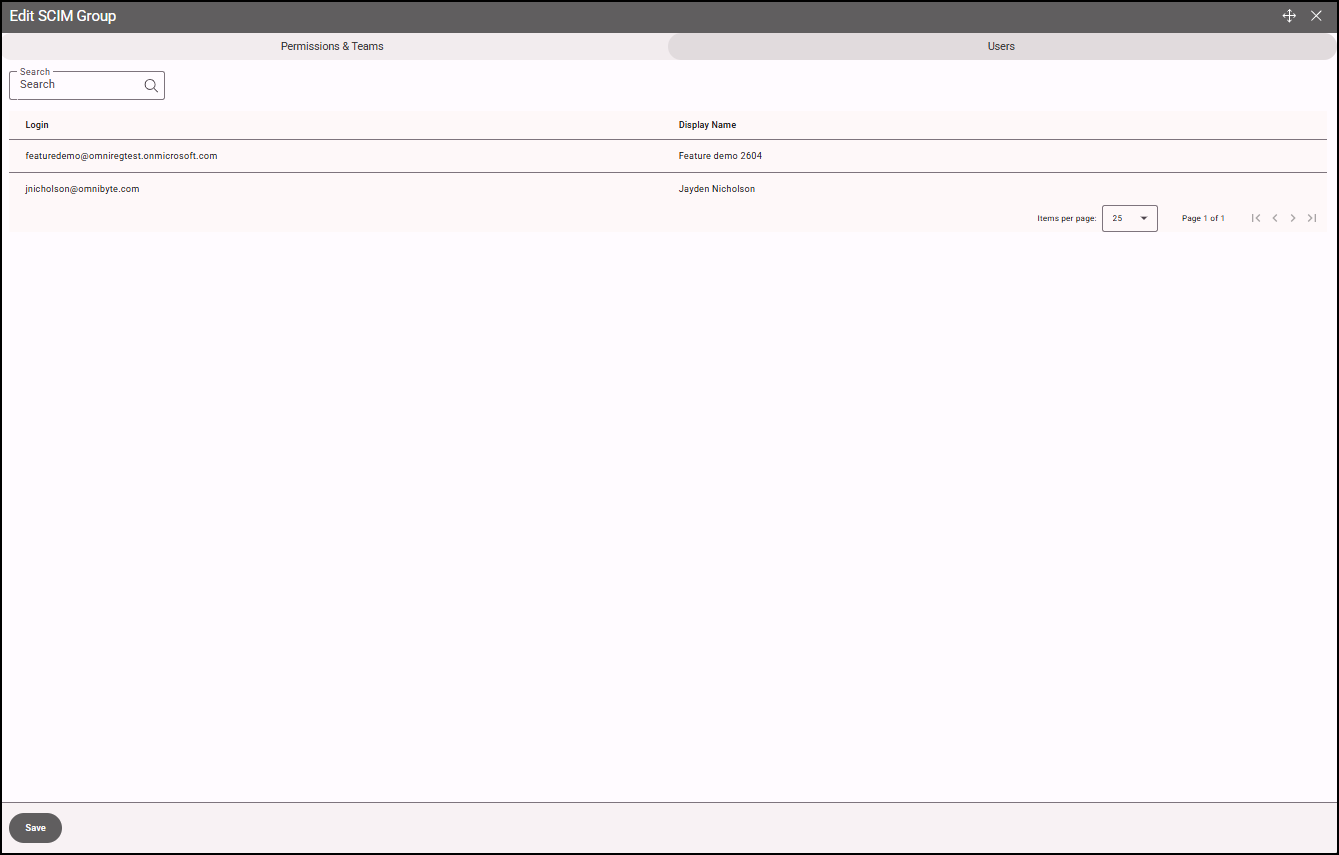
Open the Users tab to view all users assigned to the group in Entra. These users will automatically inherit the permissions and team settings defined for that group within FormsPro.
Changes made to group mappings and permissions will apply to all users in the group upon the next provisioning sync, ensuring access remains consistent with your Entra configuration.