![OmniByte - PNG Black Logo Oct 2021 (1).png]](https://help.omnibyte.com/hs-fs/hubfs/OmniByte%20-%20PNG%20Black%20Logo%20Oct%202021%20(1).png?height=50&name=OmniByte%20-%20PNG%20Black%20Logo%20Oct%202021%20(1).png)
The Edit Role tray is used to modify existing roles. You can use this window to assign or unassign users and forms to a selected role.
- From the Administration menu, click Roles to open the Roles page.
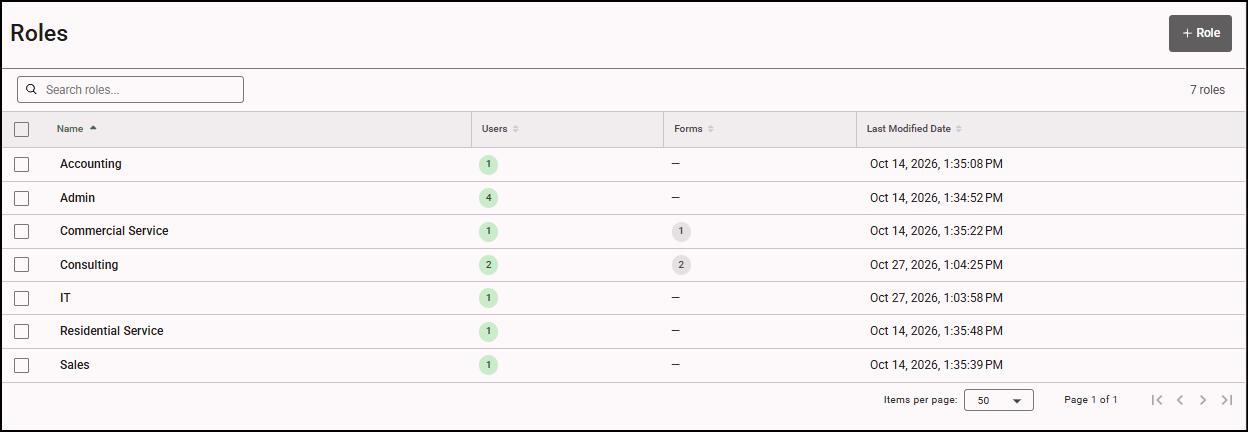
- All roles that have been set up are displayed. Click on the role you want to edit. The Edit Role tray opens.
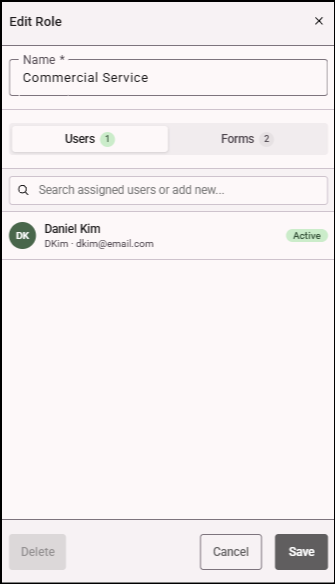
- If you want to make a change to the users, click the Users tab to view the users assigned to the role. If you need to add users to the role, simply enter the name of the user in the Search field, then click + next to the user, then click Save. This is very helpful if there are many users or roles or when you want to assign a bunch of users to a role and don't want to open each user record to do so.
- If you want to make a change to the forms, click the Forms tab to view the forms assigned to the role.
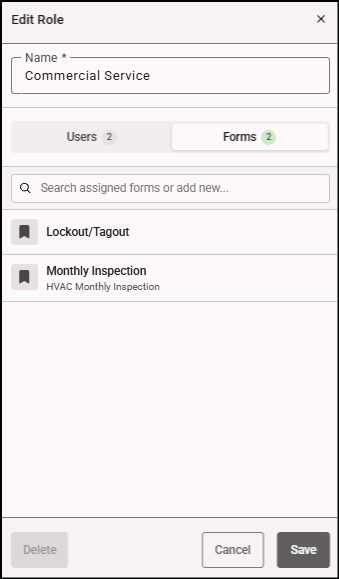
- To search for a specific form that is assigned to the role, enter the form name in the Search field.
- If you need to remove a role, you can delete it in the Edit Role tray.