![OmniByte - PNG Black Logo Oct 2021 (1).png]](https://help.omnibyte.com/hs-fs/hubfs/OmniByte%20-%20PNG%20Black%20Logo%20Oct%202021%20(1).png?height=50&name=OmniByte%20-%20PNG%20Black%20Logo%20Oct%202021%20(1).png)
You can make a field read-only simply by toggling on Read-Only for an input. Fields in dynamic and static tables can be marked read-only as well. Read-only fields mean that they are not editable, but data still defaults into the field.
- Expand Input Options for the field you want to make read-only.
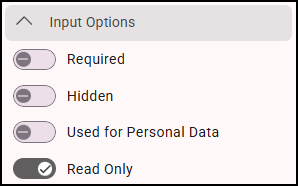
- Toggle on the Read-Only option.
- Save your entries.