![OmniByte - PNG Black Logo Oct 2021 (1).png]](https://help.omnibyte.com/hs-fs/hubfs/OmniByte%20-%20PNG%20Black%20Logo%20Oct%202021%20(1).png?height=50&name=OmniByte%20-%20PNG%20Black%20Logo%20Oct%202021%20(1).png)
You can set table cells to be read-only based on specific conditions. Read-only fields are useful when displaying information that users need to see but shouldn’t be able to edit, such as a Last Replacement Date.
For example, you have a dynamic table on a form for furnace parts. The table includes fields for Part Number, Part Name, Description, Quantity in Stock, and whether the part has been Replaced Previously. You can make the Last Replacement Date cell read-only when the Replaced Previously field is marked “Yes.”
- Expand Cell Condition for Last Replacement Date cell.
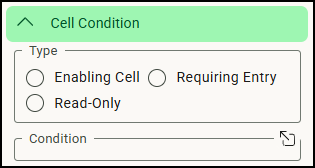
- Mark Read-Only.
- Click
 to open the Condition window.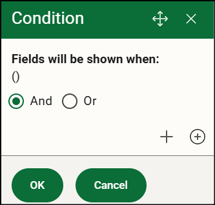
- Click + to add the rule.
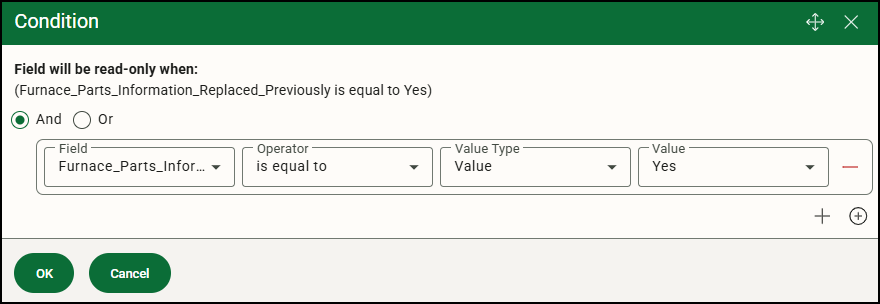
- Click OK to close the Condition window.
- Save the form.
After completing these steps, when a user answers Yes to the Replaced Previously question on their device, the corresponding Last Replacement Date will be displayed but remain read-only.