![OmniByte - PNG Black Logo Oct 2021 (1).png]](https://help.omnibyte.com/hs-fs/hubfs/OmniByte%20-%20PNG%20Black%20Logo%20Oct%202021%20(1).png?height=50&name=OmniByte%20-%20PNG%20Black%20Logo%20Oct%202021%20(1).png)
Forms are created and maintained within the Administrator site. This site includes a comprehensive forms designer that provides all the tools required to configure forms, reports, users, workflows, and email notifications.
The following illustrations highlight the Administrator site’s menus and options used to manage forms. Menus can be expanded or collapsed to display relevant details, allowing administrators to focus on the information most applicable to their operational needs.
Click  (Hamburger menu) in the upper-left corner to show or hide the navigation pane. Hiding the navigation pane provides a larger workspace, making it easier to design and edit forms.
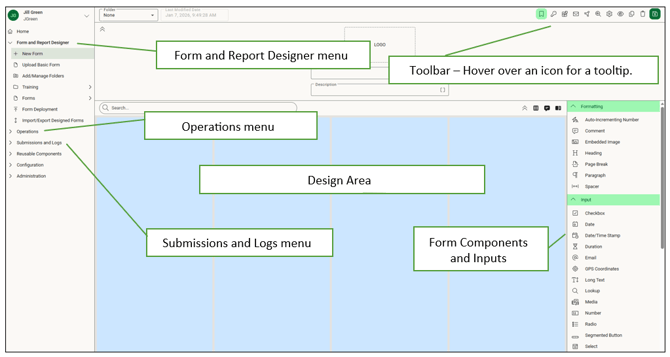
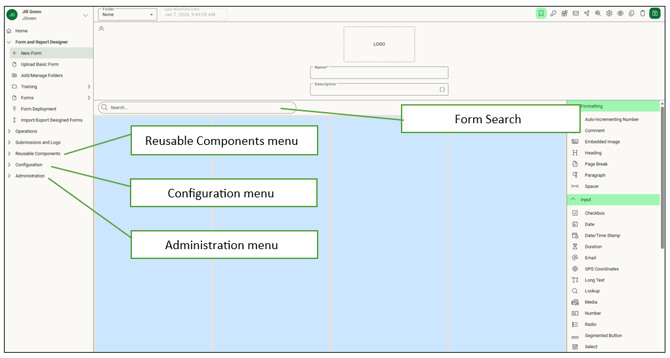
If designing a basic form, the form designer has some different components. Zoom capabilities and page numbers have been added.
