![OmniByte - PNG Black Logo Oct 2021 (1).png]](https://help.omnibyte.com/hs-fs/hubfs/OmniByte%20-%20PNG%20Black%20Logo%20Oct%202021%20(1).png?height=50&name=OmniByte%20-%20PNG%20Black%20Logo%20Oct%202021%20(1).png)
You may need to edit an auto-incrementing number if it needs to be modified, or delete it if it is no longer needed, such as when it was created for testing purposes or your numbering or naming system has changed. You can delete an auto-incrementing number only if it does not exist on a form.
- From the Reusable Components menu, select Auto-Incrementing Numbers. The Auto-Incrementing Numbers page opens.
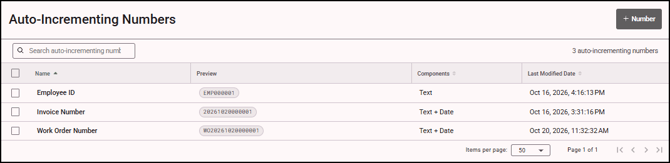
- Select the auto-incrementing number you want to edit or delete. The Edit Auto-Incrementing Number tray opens.
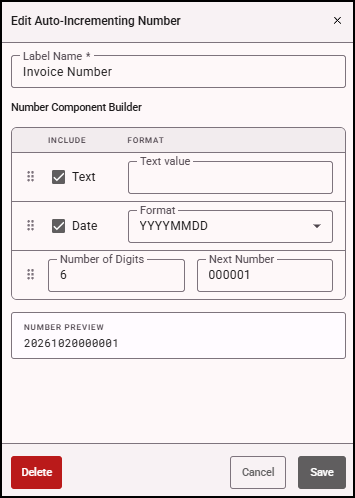
- Click Save to save the changes.
- Click Delete to remove the number. A confirmation message appears. If the auto-incremented number exists on a form, a message appears listing the forms on which the number exists.