![OmniByte - PNG Black Logo Oct 2021 (1).png]](https://help.omnibyte.com/hs-fs/hubfs/OmniByte%20-%20PNG%20Black%20Logo%20Oct%202021%20(1).png?height=50&name=OmniByte%20-%20PNG%20Black%20Logo%20Oct%202021%20(1).png)
You can reuse data sets across multiple forms, but sometimes you may need to make a slight change without creating an entirely new data set. Copying a data set allows you to make the necessary changes to the copy while preserving the original.
- From the Reusable Components menu, select Data Sets then click the data set you want to copy. The Edit Data Set tray opens.
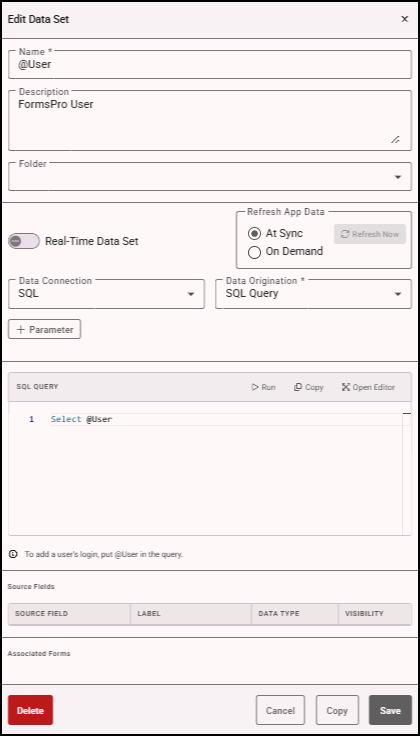
- Click Copy. The copied data set appears in the Data Sets page with "_Copy" at the end of the name.